# Categories

While location types are used for styling locations on the map, **categories** are intended for **filtering** and **enhancing search experiences.** You can also assign locations to multiple categories if needed.

For more info, [read here](/products/cms/interface-overview.md#categories).

### Subcategories

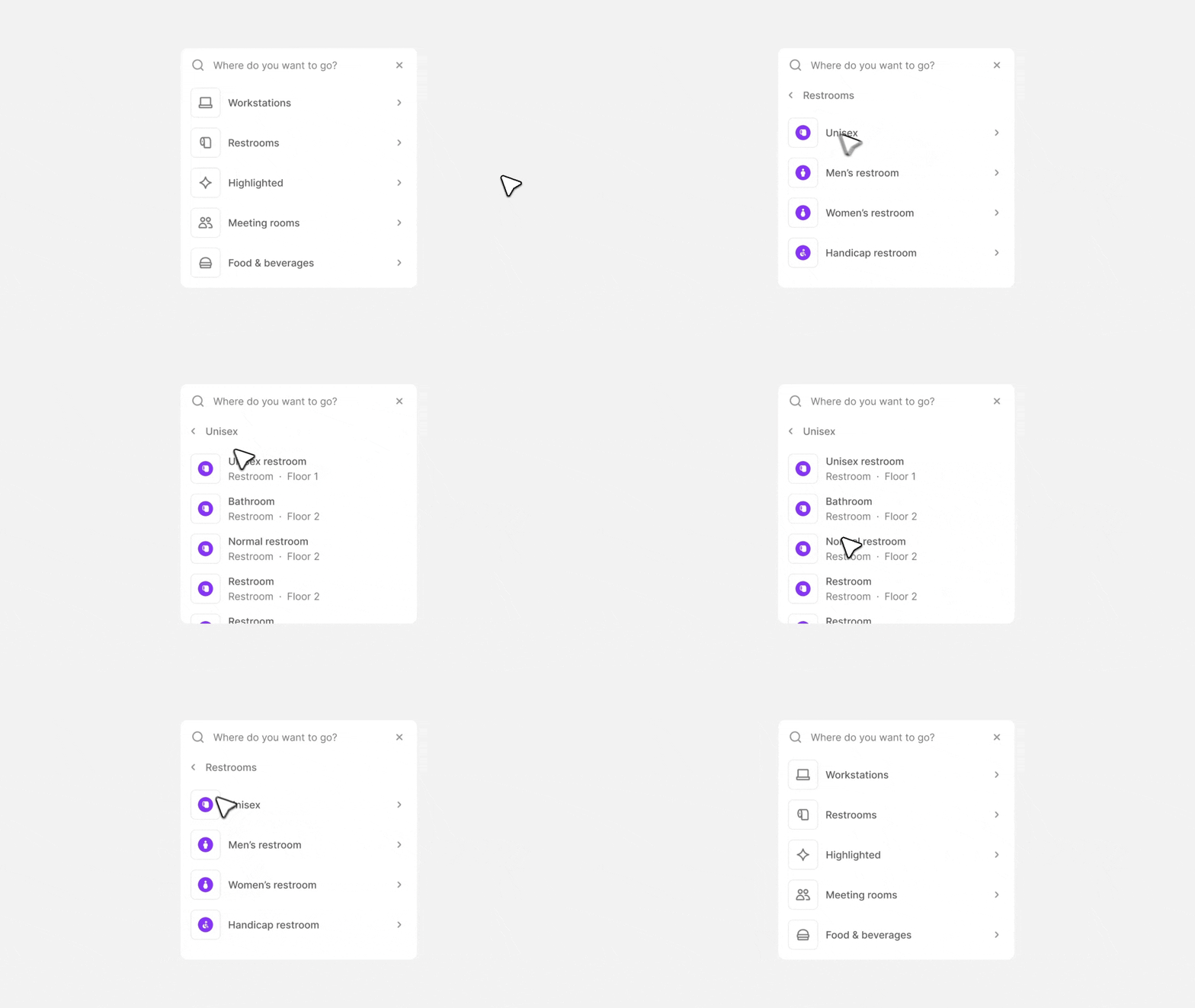
Subcategories add an extra layer to your categories, allowing you to create even more **advanced filtering** and search options for your end users, making the search experience easier and more efficient.

<figure><img src="/files/zhGHGOMZse1fviiLauPW" alt=""><figcaption><p>An example of using subcategories to add an extra filtering layer for "Restrooms," making it even easier for users to find their exactly what they are looking for</p></figcaption></figure>

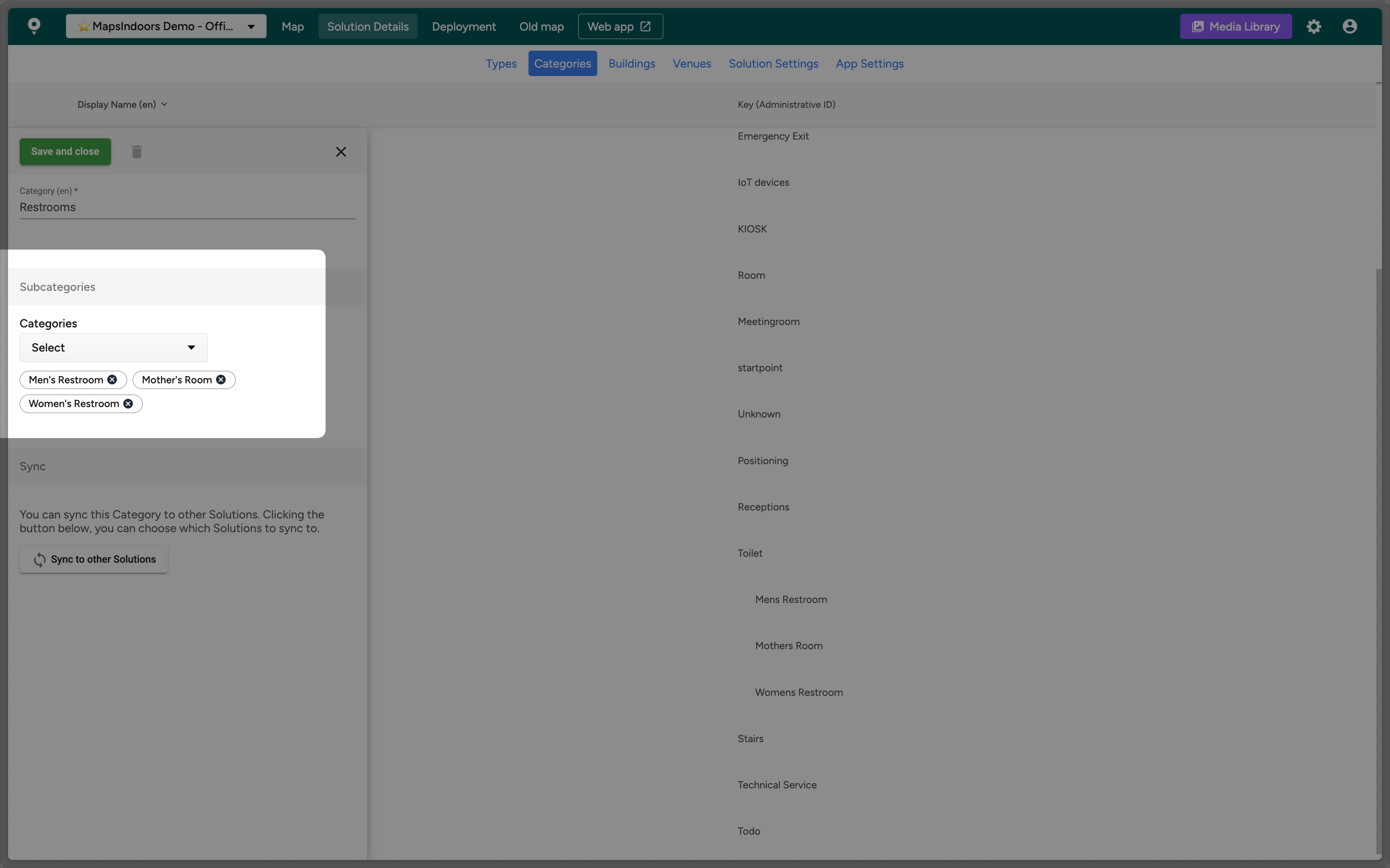
You can set up "subcategories" in the CMS, under a category:

<figure><img src="/files/MhCDskkWEIk4Z35nqaz2" alt=""><figcaption></figcaption></figure>

* When you assign a category as a child or subcategory, you cannot use it as a parent.
* You cannot delete a parent category without first removing its children.

{% hint style="success" %}
The Web SDK supports reading subcategory values using `childKeys`
{% endhint %}

{% hint style="warning" %}
Mobile SDKs are not supported yet.
{% endhint %}


---

# Agent Instructions: Querying This Documentation

If you need additional information that is not directly available in this page, you can query the documentation dynamically by asking a question.

Perform an HTTP GET request on the current page URL with the `ask` query parameter:

```
GET https://docs.mapsindoors.com/products/cms/categories.md?ask=<question>
```

The question should be specific, self-contained, and written in natural language.
The response will contain a direct answer to the question and relevant excerpts and sources from the documentation.

Use this mechanism when the answer is not explicitly present in the current page, you need clarification or additional context, or you want to retrieve related documentation sections.